
Phone Charges Only When Off? Here’s Why and How to Fix It
Introduction
It’s the end of a long day, your battery is in the red, and you plug your phone in—only to see absolutely nothing happen. No lightning bolt icon, no charging sound. Panic sets in. But then, you turn the phone off, and suddenly, it starts charging. Why does your phone only charge when it’s off?
If your phone charges only when off, it usually points to a deeper software or hardware conflict that needs attention.
This bizarre glitch is more common than you think, but it’s incredibly frustrating. It turns a simple daily task into a hassle, forcing you to disconnect from the world just to get some power. Understanding why this happens is the first step to reclaiming your device. In this guide, we’ll walk you through exactly what’s going on and how to fix it without pulling your hair out.
Table of Contents
What Does It Mean When a Phone Charges Only When Off?
When we talk about a phone that only charges when turned off, we are describing a specific scenario where the device refuses to accept power while the operating system is running. However, the moment you power down the device completely, the battery begins to fill up as expected.
Think of your phone’s charging process like filling a bucket with a hose. Normally, you can fill the bucket while using some of the water for other things (like apps, screen brightness, and background data). But in this scenario, it’s as if the bucket has a lid on it while you’re using it. You have to stop everything you’re doing and close up shop before the water can get in.
This phenomenon usually indicates a conflict between the hardware (the physical parts) and the software (the brain of the phone). When the phone is on, the software manages the power intake. If that software is confused, or if it detects a potential threat like a power surge or moisture, it might block the charge to protect the device. When the phone is off, the software isn’t running the show, allowing the basic hardware circuit to let power flow directly to the battery.
Common Causes of Phones Charging Only When Off
Finding the root cause of a phone charging problem when on can feel like detective work. There isn’t just one culprit; several suspects could be behind the issue. Let’s break down the most likely reasons why your device is acting up.
Faulty Charging Cable or Adapter
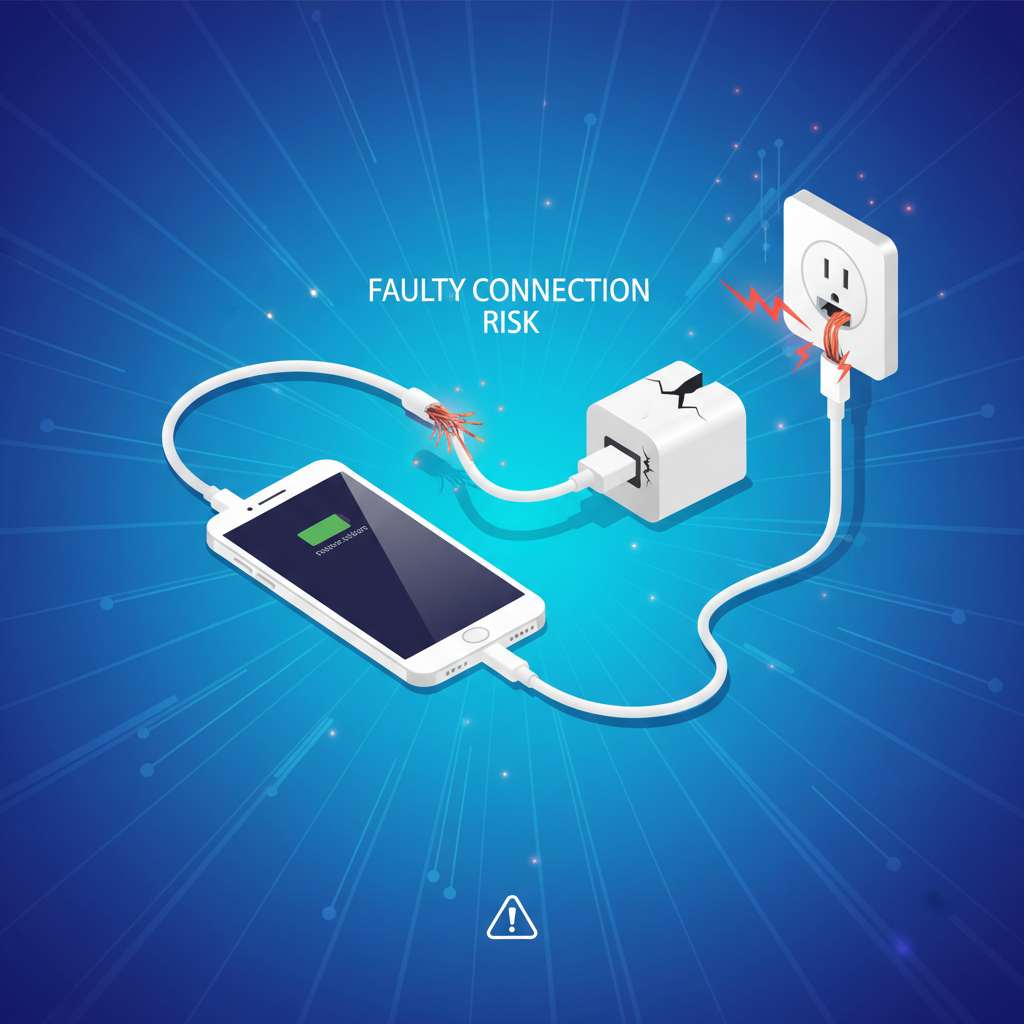
The most frequent offender is often the simplest one: your charging accessories. Cables endure a lot of abuse—we twist them, yank them, and shove them into bags. Over time, the internal wiring can fray or break.
If a cable is damaged, it might not be able to deliver the consistent voltage required to charge the phone while it’s running. When the phone is on, it consumes power while charging, which requires a stable connection. A Faulty Charging Cable might only provide a trickle of power that the phone ignores when active but accepts when it’s powered down and consumption is zero. Similarly, a weak or damaged wall adapter might not push enough juice to overcome the phone’s active power usage.
Charging issues can also affect in-car systems, especially if you’re experiencing problems like iPhone charging but CarPlay not working
Software Glitches or Bugs
Your phone’s operating system (OS) acts as the gatekeeper for charging. It tells the battery how fast to charge and when to stop. Sometimes, a software update can introduce bugs, or a background process can crash, causing the OS to misread the charging status. If the software thinks the charger is incompatible or dangerous, it will block the connection. Turning the phone off bypasses this “smart” management, allowing the “dumb” hardware charging to take over.
Battery Health Issues
Batteries don’t last forever. As lithium-ion batteries age, their chemical ability to hold and accept a charge diminishes. An old or degraded battery might struggle to charge while simultaneously powering the screen and processor. In severe cases, the battery might be so weak that it can only focus on one task at a time: either powering the phone or accepting a charge—never both.
Hardware Problems (e.g., Charging Port Damage)
The charging port is the physical gateway for power. It collects dust, lint, and moisture. If the delicate metal pins inside are bent, corroded, or blocked by debris, the connection will be unstable. The phone might detect this instability while it’s on and refuse the charge for safety reasons. Charging port problems are notoriously tricky because they can mimic software issues.
Power Source Compatibility Issues
Not all power sources are created equal. Plugging your phone into a laptop USB port, a car charger, or a low-wattage power bank might not provide enough amperage. While the phone is on, it might be draining battery faster than these weak sources can replenish it, making it look like it’s not charging. When off, the drain stops, and the slow charge can finally accumulate.

How to Diagnose the Problem
Before you rush out to buy a new phone or pay for expensive repairs, you need to play doctor. Proper phone charging troubleshooting involves isolating variables to see what sticks. Here is a systematic way to figure out what’s wrong.
Check the Charging Cable and Adapter
Start with the basics. Visually inspect your cable. Do you see any exposed wires, kinks, or biting marks from a pet? Even if it looks fine on the outside, it could be broken on the inside.
Try swapping out the cable first. Use a different one—ideally a brand-new or original manufacturer cable—and see if the phone charges while on. If the cable isn’t the issue, switch the wall adapter. Sometimes the brick itself has blown a fuse or burned out. By swapping these one at a time, you can rule out accessory failure immediately.
Test with a Different Power Source
If you always charge your phone via a computer USB port or a specific wall outlet, try a different one. Wall outlets can have wiring issues, and computer ports often have limited power output. Move to a different room and plug directly into the wall. If your phone charges normally there, the problem was never your phone—it was the source.
Inspect the Charging Port for Damage or Debris
Grab a flashlight and shine it into the charging port at the bottom of your phone. What do you see? It should be clear and metallic. If you see a wall of gray fuzz, that’s pocket lint, and it’s stopping your cable from making a solid connection.
Also, look for the little metal strip (in USB-C or micro-USB ports) or pins (in Lightning ports). Are they centered and straight? If they look bent or blackened (corrosion), you likely have a hardware issue that needs professional attention.
Restart or Reset the Phone
If your hardware looks fine, it’s time to look at the software. A simple restart can clear out temporary cache files and glitches that might be interfering with the charging logic.
For iPhones, do a “force restart” (check your specific model’s button combination). For Androids, hold the power button until the option to restart appears. You can also follow specific guides to Restart Devices effectively. Once it reboots, plug it in immediately to see if the behavior has changed.
Use Diagnostic Tools or Apps
There are apps available that can measure the flow of electricity into your battery. Apps like Ampere (for Android) give you real-time data on how much current your phone is receiving.
Install the app, plug in your charger, and watch the numbers. If the numbers are extremely low or fluctuate wildly, it confirms an unstable connection. Some manufacturers, like Samsung and Apple, also have built-in diagnostic tools in their settings menus (often under “Device Care” or “Battery Health”) that can alert you to official error codes.
Step-by-Step Solutions to Fix the Issue
Now that we have a better idea of what might be causing the problem, let’s move on to the fixes. We will start with the easiest, non-invasive solutions and work our way up to the more drastic measures.
Replace or Test Charging Accessories
If your diagnosis pointed to a bad cable or brick, the fix is simple: replace them. But don’t just buy the cheapest option at the gas station. Cheap cables often lack the proper voltage regulation chips found in high-quality gear.
For iPhone users, look for “MFi Certified” (Made for iPhone) on the packaging. For Android users, stick to reputable brands like Anker, Samsung, or Google. Using official accessories ensures that your phone and charger are speaking the same language. If replacing the accessories fixes the issue where the phone charges only when off, you’ve saved yourself a lot of trouble.
Update or Reinstall Software
Outdated software is a common cause of charging glitches. Manufacturers frequently release patches to fix battery management bugs.
- Check for Updates: Go to your Settings app. Look for “Software Update” (iOS) or “System Update” (Android). If an update is waiting, plug your phone in (turn it off if you have to, just to get enough battery to install) and run the update.
- Safe Mode (Android): If you suspect a rogue app is causing the issue, try booting into Safe Mode. This disables all third-party apps. If the phone charges normally in Safe Mode, you know a recently installed app is the culprit. Uninstall recent apps one by one until the problem vanishes.
Software bugs can create unexpected behavior across devices, similar to what happens during a Windows update stuck restarting loop.
Clean the Charging Port Safely
If you spotted lint or debris during your inspection, it’s time to clean it out. But be careful—you don’t want to damage the pins.
- Tool of choice: A wooden or plastic toothpick. Do not use metal needles or paperclips, as metal conducts electricity and can short out the port or scratch the delicate connectors.
- The method: Gently insert the toothpick into the port and scrape along the bottom/back wall. Use a scooping motion to pull debris out. You might be shocked at how much lint comes out.
- Compressed air: You can also use a can of compressed air to blow out loose dust. Use short bursts and keep the can upright to avoiding spraying liquid.
After cleaning, try plugging the cable in again. You should feel a satisfying “click” that might have been missing before.
Perform a Factory Reset (as a Last Resort)
If you’ve tried cables, cleaning, and updates, and the phone only charges when turned off, you might be dealing with a deep system error. A factory reset wipes the phone clean and restores it to the state it was in when you took it out of the box.
Warning: This deletes everything—photos, contacts, messages, apps. Back up your data to the cloud or a computer before doing this.
- iPhone: Settings > General > Transfer or Reset iPhone > Erase All Content and Settings.
- Android: Settings > System > Reset Options > Erase all data (factory reset).
If the phone still won’t charge while on after a factory reset, you can virtually guarantee it is a hardware failure.
Seek Professional Repair Services
At this stage, if the problem persists, it is likely a motherboard issue, a dead charging IC (power management chip), or a physically broken charging port that cleaning couldn’t fix.
You will need to take the phone to a professional. If your phone is under warranty, contact the manufacturer immediately. If not, look for a reputable third-party repair shop. For more insights on what this might look like, you can check resources like this guide on phone charging fixes or this troubleshooting article. They often list specific symptoms that confirm hardware failure.

Preventing Charging Issues in the Future
Once you get your phone working again, you want to make sure it stays that way. A little bit of preventative care can save you from future headaches and expensive repairs.
Care for your cables: Stop wrapping your cables tightly around the power brick. This stresses the wires internally. Instead, coil them loosely in a circle. Also, pull the plug by the hard plastic head, not by yanking the cord itself.
Keep the port clean: If you work in dusty environments or keep your phone in a pocket full of lint, consider getting a rugged case with a flap that covers the charging port. This simple barrier prevents debris buildup.
Optimize Battery Health: Avoid letting your phone drop to 0% constantly. Lithium-ion batteries prefer to stay between 20% and 80%. Extreme temperatures also kill batteries, so don’t leave your phone baking in a hot car or freezing in the snow.
Stay Updated: Don’t ignore those “System Update” notifications. They often contain invisible fixes for power management that keep your charging logic running smoothly.
When to Seek Professional Help
Sometimes, DIY fixes just aren’t enough. It’s important to recognize when you are out of your depth so you don’t accidentally cause more damage.
Signs you need an expert:
- Smell of burning: If you smell burnt plastic near the charging port, stop immediately.
- Overheating: If the phone gets painfully hot while charging.
- Loose Port: If the cable wiggles significantly inside the port or falls out on its own.
- Physical Damage: If the phone was recently dropped in water or on concrete.
Choosing a repair service:
Look for shops with good reviews and a warranty on their work. If you have an iPhone, authorized service providers are safer because they use genuine Apple parts. For Androids, look for “authorized” repair centers for your specific brand (like uBreakiFix for Samsung/Google). A reliable technician will be upfront about the cost of diagnosing charging port problems versus the cost of a full battery replacement.
Frequently Asked Questions
Why does my phone charge only when it’s off?
This usually happens because of a conflict between the phone’s software and hardware. When the phone is on, the software detects an issue (like a weak connection or software bug) and stops the charge. When off, the software is bypassed, allowing power to flow directly to the battery.
Can a faulty charging cable cause this issue?
Yes, absolutely. A damaged cable might not provide a stable enough current for the phone to accept while it is running and consuming power. However, the trickle of power might be enough to charge the battery when the phone is off and usage is zero.
How do I clean my phone’s charging port?
Use a non-conductive tool like a wooden toothpick or a plastic dental pick. Gently scrape the inside of the port to remove lint and dust. Avoid metal tools like needles, which can cause short circuits.
Will a factory reset fix this problem?
It can, if the issue is caused by a deep software glitch or a corrupted system file. However, if the root cause is hardware (like a broken port), a factory reset will not help. Always back up your data before trying this.
How can I tell if my phone’s battery is the issue?
If your battery drains incredibly fast, jumps percentages (e.g., goes from 50% to 20% in minutes), or causes the phone to shut down randomly, the battery itself is likely degraded and may need replacement.
Is it safe to use third-party charging accessories?
Yes, as long as they are from reputable brands (like Anker, Belkin, etc.) and are certified for your device (like MFi for Apple). Avoid unbranded, ultra-cheap chargers, as they can damage your phone’s power management chip.
How often should I update my phone’s software?
You should install updates as soon as they become available. They often contain critical bug fixes for battery and power management performance.
What are the risks of ignoring this problem?
If you ignore it, you risk the problem getting worse. A faulty port can eventually stop charging altogether, leaving you with a dead phone. Additionally, if the issue is a failing battery, it could swell and physically damage the phone.
How much does professional repair typically cost?
It depends on the phone and the issue. A charging port cleaning might be free or very cheap ($20-$30). A port replacement can range from $50 to $150. A motherboard repair can be significantly more expensive.
Can this issue damage my phone permanently?
The issue itself is usually a symptom, not a cause. However, forcing a charge through damaged hardware or using bad cables can eventually fry the charging IC (chip) on the motherboard, which is a major and expensive repair.
For broader system-level fixes, you may also find our guide on fixing Windows update restart loops helpful.
Conclusion
If your phone charges only when off, it’s more than just an inconvenience—it’s a warning sign that something isn’t working as it should. In most cases, the problem comes down to simple issues like a damaged charging cable, a dirty charging port, outdated software, or a weakened battery. The good news is that many of these problems can be fixed at home with a bit of careful troubleshooting.
By systematically testing your charger, cleaning the charging port, updating your software, and monitoring battery health, you can often restore normal charging without professional help. However, if your phone still charges only when powered down after trying all the fixes, it likely points to a deeper hardware issue that requires expert repair.
Addressing the issue early not only saves you frustration but can also prevent permanent damage to your phone’s battery or charging components. With proper care, high-quality accessories, and regular software updates, you can avoid this problem in the future and keep your device charging reliably—whether it’s on or off.