
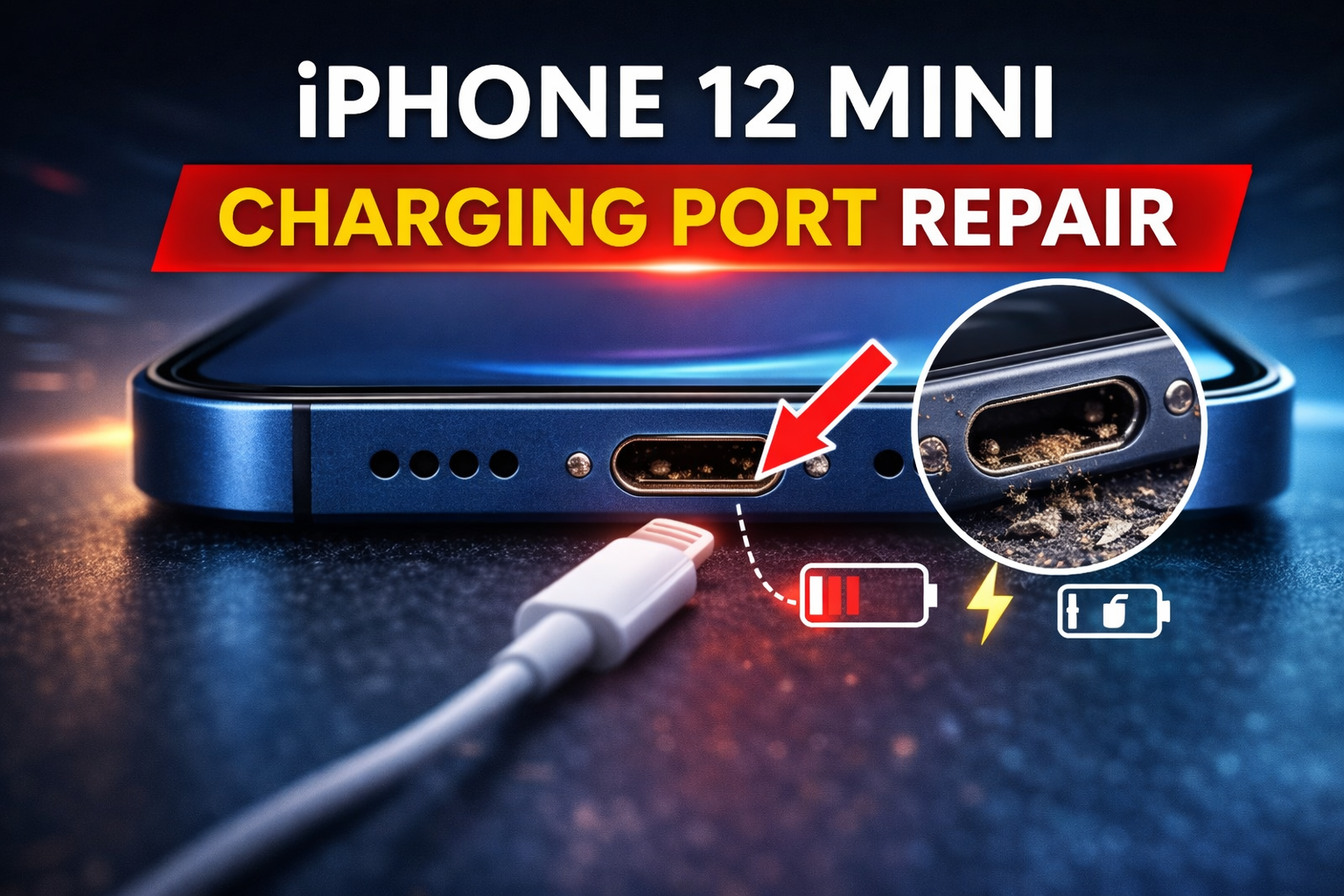
iPhone 12 Mini Charging Port Issues (Fix, Repair & Replacement Guide)
Does your iPhone 12 mini only charge if you hold the cable at a specific angle? Maybe the Lightning cable feels loose, disconnects randomly, or charges incredibly slowly. These frustrating charging port issues can make you feel like your phone is on its last legs. But don’t start shopping for a new device just yet.
If your iPhone 12 mini charging port is not working properly, identifying the exact cause early can save you from an unnecessary repair.
In this guide, we’ll walk you through everything you need to know about your iPhone 12 mini charging port. We will explain how to fix common problems, show you when a simple cleaning is enough, and help you decide when a full replacement is necessary. We’ll cover everything from simple DIY fixes to professional repair options.
Common iPhone 12 Mini Charging Port Problems
Charging issues often show up in a few distinct ways. If you’re experiencing any of the following, there’s a good chance the problem lies with your Lightning port.
- iPhone 12 mini not charging: You plug it in, but nothing happens. The battery icon doesn’t show the little lightning bolt, and the percentage doesn’t go up. This is the most straightforward sign of an issue.
- Charging port loose: The Lightning cable doesn’t feel secure when you plug it in. It might wobble or fall out with the slightest movement, causing intermittent charging.
- Charging slowly: Your phone takes hours to gain just a small amount of charge, far longer than it used to. This can point to a poor connection or a damaged port.
- Lightning cable not clicking in: A properly functioning port allows the cable to click firmly into place. If you can’t push it all the way in, something is likely blocking it.
- Charging only when off: The phone charges perfectly fine when powered down but refuses to charge when it’s on. This unique problem, where it charges only when off, often points to a software conflict or a very specific type of hardware fault.
Table of Contents
Why iPhone 12 Mini Charging Port Stops Working
Your charging port is a busy intersection for data and power, and several things can cause a traffic jam. It’s exposed to the world every day, making it vulnerable to wear and tear.
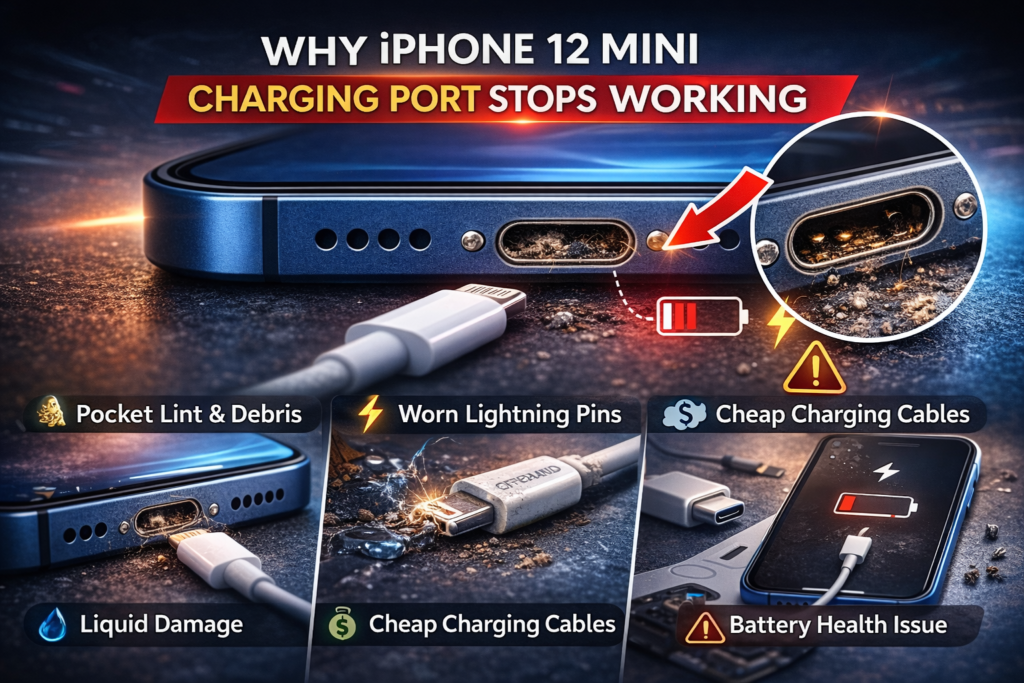
- Pocket Lint & Debris: This is the most common culprit. Over months and years, tiny bits of lint, dust, and debris from your pocket or bag get packed into the port every time you plug in the cable. Eventually, this buildup becomes so dense it prevents the cable from making a solid connection.
- Worn Lightning Pins: Inside the port are tiny gold-plated pins that make contact with the cable. Repeatedly plugging and unplugging wears these pins down. If they become damaged or bent, they can’t establish a reliable connection for charging.
- Liquid Damage: A small splash of water, coffee, or even exposure to a steamy bathroom can cause corrosion on the internal components of the port. Corrosion acts like rust, interfering with the electrical connection and often causing permanent damage.
- Cheap Charging Cables: Using non-MFi (Made for iPhone) certified cables can be a gamble. These accessories often have slightly different dimensions or lower-quality materials that can damage the delicate pins inside your port over time.
- Software Glitch: Sometimes, the problem isn’t physical. A software bug can interfere with how your iPhone recognizes a charging accessory. This can sometimes lead to issues like being stuck on the charging screen, which may require specific charging screen fixes rather than a hardware repair.
- Battery Health Issue: While less common, a severely degraded battery can sometimes refuse to accept a charge, making it seem like the port is the problem when it’s actually the battery itself.
How to Clean iPhone 12 Mini Charging Port Safely
Before you assume the worst, a thorough cleaning can often solve your charging woes. Think of it like clearing out a clogged drain. A little bit of maintenance can get things flowing again. Follow these steps carefully to avoid causing damage.
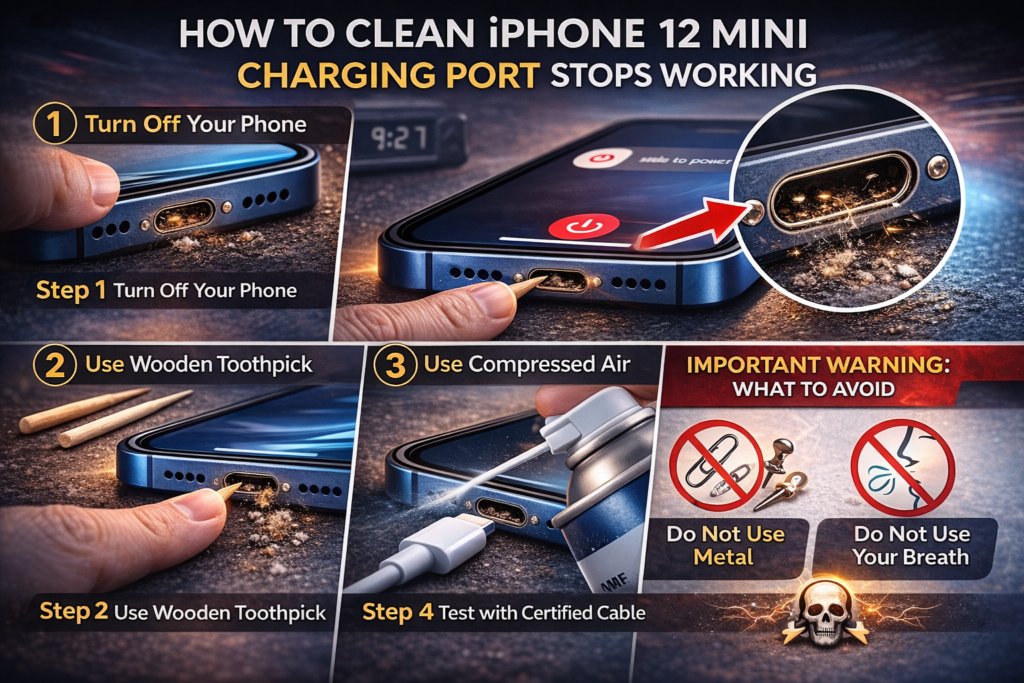
Step 1: Turn Off Your Phone
Before you put anything inside the charging port, completely power down your iPhone. This prevents any accidental short circuits that could damage the electronics.
Step 2: Use a Wooden or Plastic Toothpick
Gently insert the tip of a wooden or plastic toothpick into the port. A standard toothpick is often too thick, so you may need to carefully shave it down. Scrape along the inner walls of the port. You’ll be surprised how much compacted lint and debris can come out. Work slowly and don’t apply too much force.
Step 3: Use Compressed Air
After loosening the debris, use a can of compressed air to blow it out. Hold the can upright and use short, controlled bursts. Do not hold the can at an angle or upside down, as this can spray liquid propellant into the port.
Step 4: Test with a Certified Cable
Once the port looks clean, turn your phone back on and try charging it with an Apple-certified MFi cable. If the cable now clicks in firmly and the phone starts charging normally, you’ve solved the problem.
Important Warning: What to Avoid
- Never use metal: Do not use paper clips, safety pins, or any other metal objects to clean the port. Metal can scratch the contact pins or, worse, cause a short circuit that fries the logic board.
- Do not use your breath: Blowing into the port with your mouth introduces moisture, which can lead to corrosion and more significant problems down the line. Stick to compressed air.
For a more detailed visual guide, you can learn more about how to clean your iPhone charging port safely.
When Does iPhone 12 Mini Charging Port Need Replacement?
Cleaning is a great first step, but it can’t fix physical damage. If you’ve cleaned the port thoroughly and the problem persists, it may be time for an iPhone 12 mini lightning port replacement. Here are the clear signs that the port is beyond a simple fix:
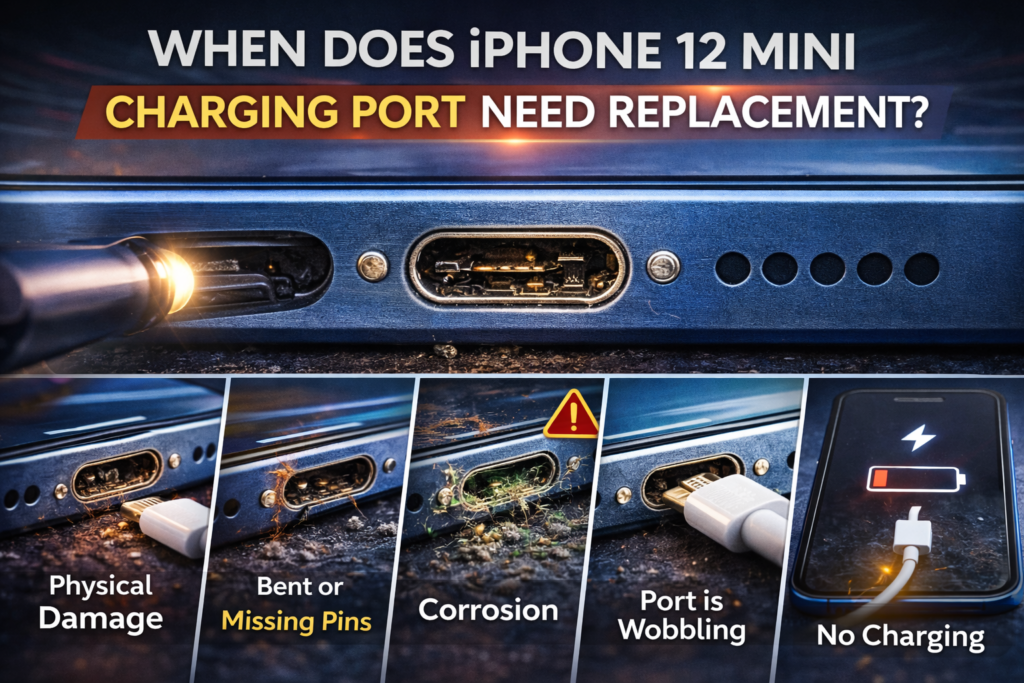
- Visible Physical Damage: Look into the port with a flashlight. If you see that the internal housing is cracked, crushed, or misshapen, it needs to be replaced.
- Bent or Missing Pins: The small gold contact pins inside should be straight and uniform. If any are bent, broken, or missing, the port is toast.
- Corrosion: Green or white crusty buildup inside the port is a sign of liquid damage and corrosion. This damage is irreversible and requires a new part.
- Port is Wobbling: If the entire port assembly feels loose and moves around when you plug in the cable, its internal connections to the flex cable are likely broken.
- No Charging Despite Cleaning: You’ve meticulously cleaned the port and tried multiple certified cables and chargers, but the phone still won’t charge. At this point, a hardware failure is the most likely cause.
iPhone 12 Mini Charging Port Repair Cost (2026)
The iPhone 12 mini charging port repair cost in 2026 typically ranges from $79 to $249 depending on where you get it repaired. Apple repairs are the most expensive option, while third-party repair shops offer lower pricing. DIY replacement costs less but carries higher risk.
The iPhone 12 mini charging port repair cost depends on whether the issue requires cleaning or a full port replacement.
The cost to fix the port can vary significantly based on who does the work. An official Apple repair will be the most expensive, while a local independent shop offers a more budget-friendly option. For a broader look at pricing, our repair cost guide offers more comparisons.
Here’s a breakdown of what you can expect to pay in 2026:
| Repair Option | Estimated Cost |
| Apple | $299 – $349 |
| Third-Party Shop | $79 – $179 |
| DIY | $20 – $60 |
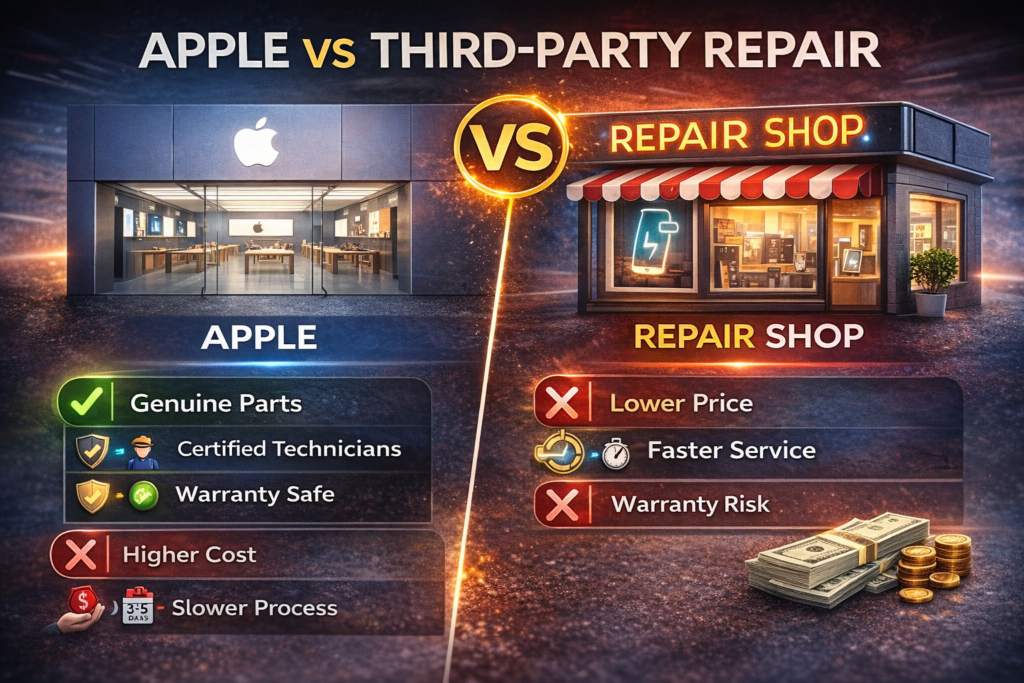
Apple vs Third-Party Repair for iPhone 12 Mini
Deciding where to get your phone fixed involves a trade-off between cost, speed, and peace of mind. Both Apple and independent shops have their pros and cons.
Apple Repair
- Pros: They use genuine Apple parts, and the repair is performed by certified technicians. Your device’s warranty (if any remains) stays intact, and the repair itself comes with its own warranty.
- Cons: This is the most expensive option. The repair process can also be slower, often requiring you to mail your device in, which can take several business days.
According to the official Apple iPhone repair pricing page, out-of-warranty repairs are often categorized under “other damage,” which increases the total repair cost.
Third-Party Repair Shop
- Pros: The price is significantly lower, often less than half of what Apple charges. Most local shops can complete the repair much faster, sometimes in under an hour.
- Cons: The quality of parts can vary, and using a non-authorized provider may void any remaining Apple warranty. However, reputable shops will offer their own warranty on the repair.
For a deeper dive into the financial aspects, comparing Apple vs local repair can give you a clearer picture of the costs.
Can You Replace iPhone 12 Mini Charging Port Yourself?
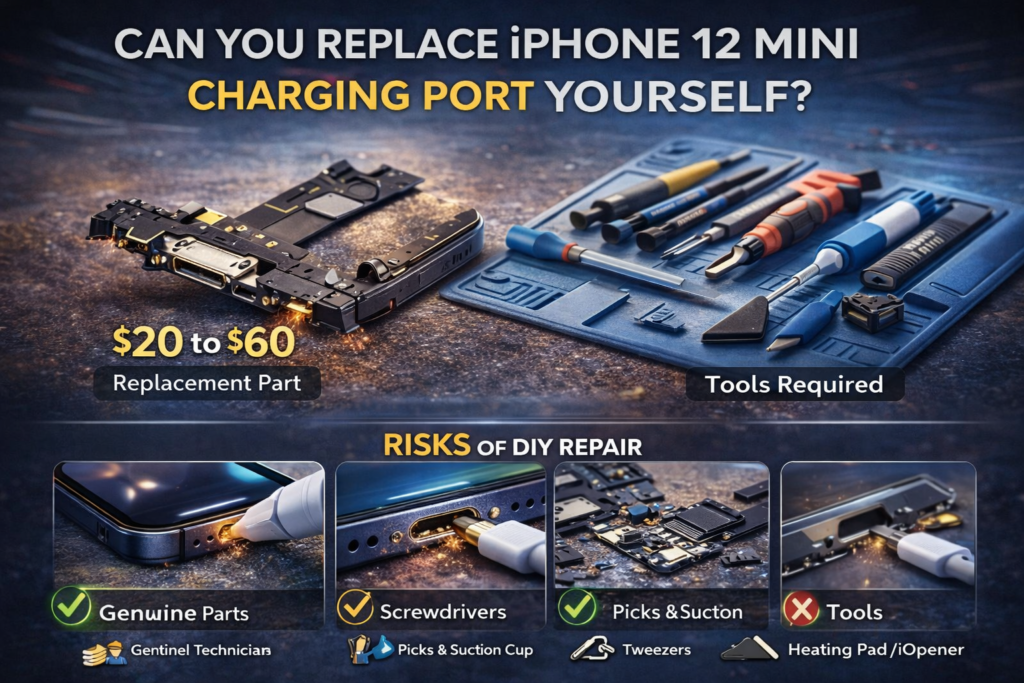
A DIY iPhone 12 mini lightning port replacement is possible, but it’s not a job for the faint of heart. It requires precision, patience, and the right tools. The iPhone 12 mini is a compact and tightly integrated device, making the repair particularly challenging.
Cost of Replacement Part
The replacement part itself is inexpensive. You can find the charging port flex cable assembly online for around $20 to $60. This assembly includes not just the Lightning port but also the lower microphones.
Tools Required
You’ll need a specialized toolkit, which typically includes:
- Pentalobe (P2) and Tri-point (Y000) screwdrivers
- Suction cup and plastic opening picks (iSpudger)
- Tweezers
- Heating pad or iOpener to soften the screen adhesive
Risks of DIY Repair
The charging port isn’t a simple component you can just pop out. It’s attached to a delicate flex cable that snakes around other components. The process involves:
- Removing the Screen: This is the riskiest step. You must heat the adhesive and carefully pry the screen off without cracking the glass or tearing the fragile display and sensor cables.
- Disconnecting the Battery: This is a crucial safety step to avoid shorting components.
- Removing Multiple Components: You’ll need to remove the Taptic Engine and loudspeaker assembly just to access the charging port flex cable.
- Replacing the Flex Cable: The cable is held in with several tiny screws and adhesive. You must carefully remove the old one and install the new one without damaging it.
Given the complexity, repair guides from sites like iFixit often rate this repair as “difficult.” A small mistake can lead to a broken screen, a torn cable, or even a dead phone—turning a cheap repair into a very expensive problem.
How Long Does iPhone 12 Mini Charging Port Repair Take?
The time it takes to get your phone back depends entirely on the repair option you choose.
- Local Repair Shop: Typically the fastest option. Most experienced technicians can complete the repair in 45 to 90 minutes, allowing for same-day service.
- Apple: If you mail your phone to an Apple Repair Center, the turnaround time is usually 3 to 5 business days, not including shipping time.
- DIY: For a first-timer, this can be a 2 to 3-hour project, assuming you have all the tools and don’t run into any complications.
Is It Worth Fixing the Charging Port on iPhone 12 Mini?
By 2026, the iPhone 12 mini will be several years old. Whether a repair is “worth it” depends on your budget and the phone’s overall condition.
Consider these factors:
- Phone’s Age and Condition: If your phone is otherwise in great shape with good battery health, a repair costing around $100 is a great investment. If the screen is cracked and the battery is weak, you might be better off putting that money toward a new device.
- Resale Value: A fully functional iPhone 12 mini will have a much higher resale or trade-in value than one with a broken charging port. The cost of the repair is often less than the value you’d lose by not fixing it.
- Repair vs. Upgrade: Compare the iPhone 12 mini charging port repair cost to the price of a new or refurbished phone. For context, repairing a newer model like the iPhone 14 Pro Max cost is significantly higher, which makes fixing an older model seem more reasonable.
| Scenario | Repair or Upgrade? |
| Phone is in good condition | Repair. It’s cost-effective and extends the phone’s life. |
| Phone has multiple issues (bad battery, cracked screen) | Upgrade. The total repair cost may not be worth it. |
| You want new features and better performance | Upgrade. A repair won’t give you a faster processor or better camera. |
How to Prevent Charging Port Damage
Prevention is always better than a cure. A few simple habits can keep your charging port healthy for years to come.
- Use MFi-Certified Cables: Stick to cables from Apple or those certified “Made for iPhone.” They are built to the correct specifications and won’t damage your port.
- Avoid Forcing the Plug: The Lightning cable should slide in smoothly. If you feel resistance, don’t force it. There’s likely debris inside that needs to be cleaned out.
- Keep the Port Clean: Every few months, give the port a quick cleaning with a wooden toothpick and compressed air to prevent lint from building up.
- Avoid Moisture: Keep your phone away from water, steam, and excessive humidity to prevent corrosion.
- Avoid Cheap Car Chargers: Low-quality car chargers can deliver unstable power, which can damage both your battery and your charging port.
Conclusion
Dealing with iPhone 12 mini charging port problems can be frustrating, but most issues are fixable. In many cases, simple cleaning solves the problem. If not, understanding the iPhone 12 mini charging port repair cost helps you decide between Apple, a local repair shop, or DIY replacement. Before upgrading your device, consider whether a repair could restore full functionality at a fraction of the cost.
Why is my iPhone 12 mini charging port loose?
A loose charging port is almost always caused by compacted lint and debris inside the port. This buildup prevents the Lightning cable from seating correctly, making it feel wobbly. A thorough cleaning with a toothpick will usually fix this.
How much does it cost to replace iPhone 12 mini charging port?
In 2026, you can expect to pay between $79 and $179 at a third-party repair shop. Going through Apple is more expensive, typically costing $299 to $349. A DIY kit costs around $20-$60 but is a high-risk repair.
Can a charging port be repaired without replacing it?
Yes, in many cases. If the issue is due to dirt, debris, or a minor software glitch, it can be repaired through cleaning or a software reset. However, if the port has physical damage like bent pins or corrosion, it must be replaced.
Why does my iPhone 12 mini only charge at an angle?
This classic symptom usually means that either the pins inside the port are worn or there is debris preventing some pins from making proper contact. Holding the cable at an angle forces a connection. Cleaning the port is the first step, but if that fails, the port likely needs replacement due to wear.