
How Much Does It Cost to Fix an iPhone Charging Port in 2026?
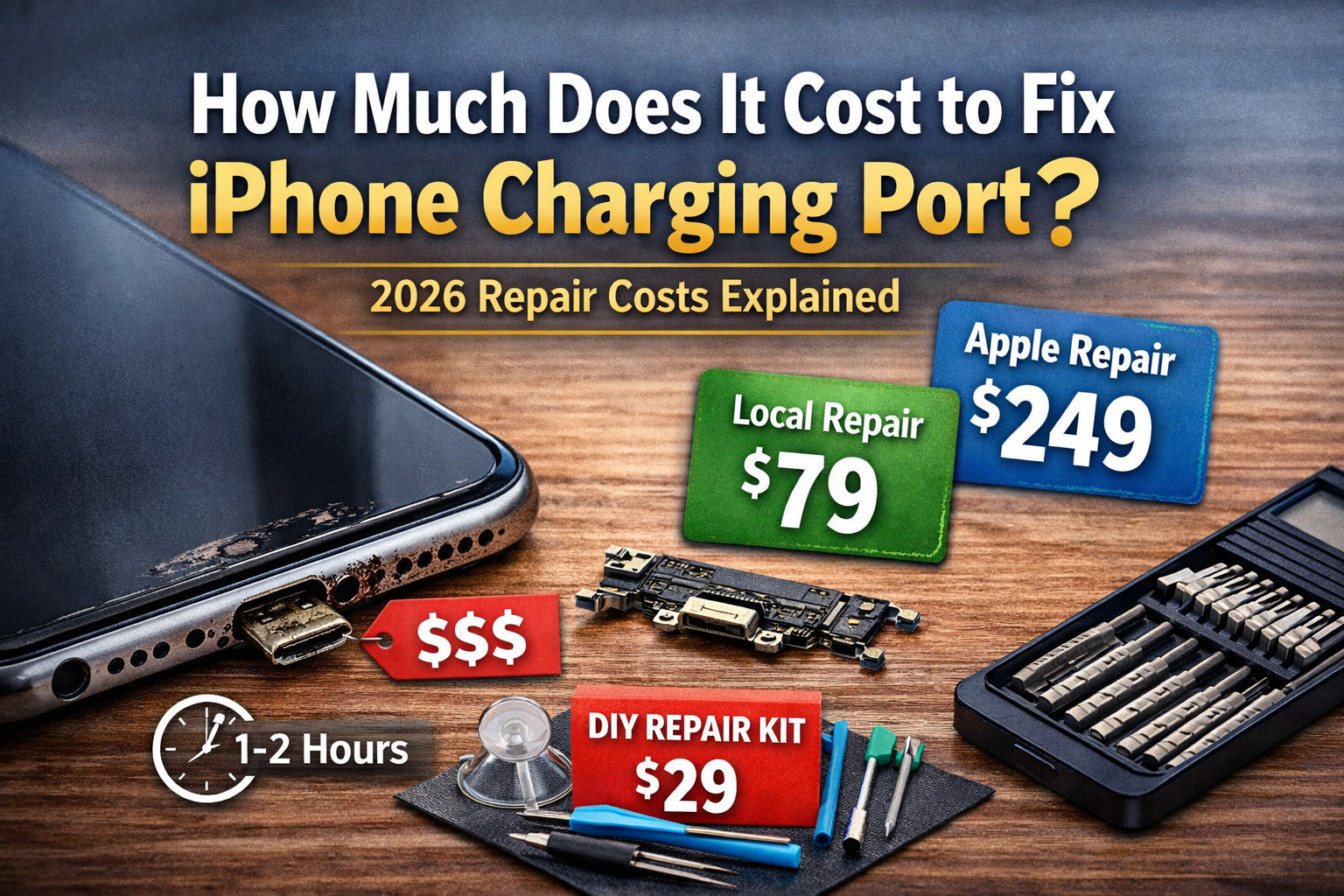
How much does it cost to fix iPhone charging port in 2026? If your iPhone isn’t charging properly, the repair price can range from $79 to over $399 depending on your model and where you get it fixed. In this complete guide, we break down Apple vs third-party repair costs, model-by-model pricing, and when it’s actually worth repairing your device.
Quick Answer: How Much Does It Cost to Fix an iPhone Charging Port?
If you need a fast estimate, here are the numbers you can expect to see in 2026:
- Average repair cost: $79 – $149
- Apple official repair: $149 – $399 (prices increase for Pro and Max models)
- Third-party repair shop: $60 – $120
- DIY repair kit: $20 – $50 (Note: High risk for beginners)
- Time required: 30 minutes to 2 hours depending on the service method
Prices listed are estimates based on 2026 market rates and may vary by location.
How We Estimated These Repair Costs
The price estimates in this guide are based on:
- Apple’s official out-of-warranty repair pricing
- Average third-party repair shop rates in the U.S.
- Market comparisons from 2026 repair data
Actual costs may vary depending on region, technician expertise, and part quality.
Table of Contents
Why iPhone Charging Ports Fail
Before we hand over our credit cards, it is helpful to understand why this sturdy piece of hardware fails in the first place. You plug your phone in every single day, sometimes multiple times. That is a lot of physical stress on a very small component. However, wear and tear isn’t the only enemy.
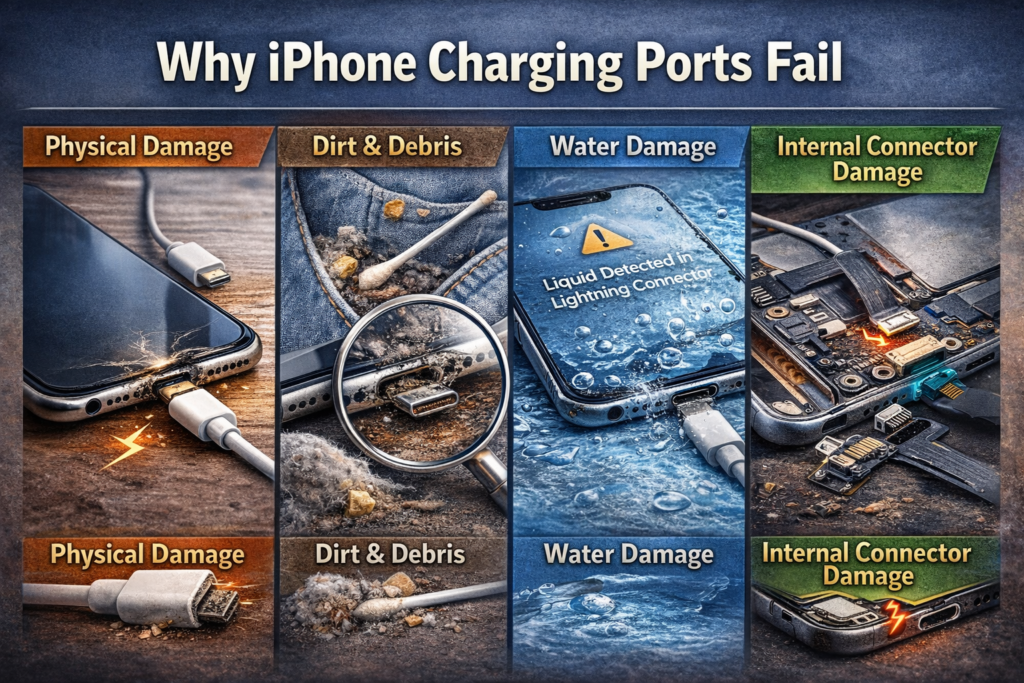
Physical Damage
This is the most common reason for failure. Think about how many times you have yanked the charging cable out of your phone in a hurry. Or perhaps you have dropped your phone while it was plugged in.
When you drop a phone that is attached to a cord, the impact force travels directly to the port. This can bend the tiny metal pins inside. Once those pins are bent or flattened, they cannot make a solid electrical connection with your charger. It is like trying to plug a lamp into a socket that has been smashed with a hammer—the electricity just can’t flow.
Dirt & Debris
Your pocket is a dangerous place for an iPhone. Over months and years, pocket lint, dust, and crumbs find their way into the charging port. Every time you plug your charger in, you pack that lint down tighter against the back of the port.
Eventually, you create a solid wall of compressed dust. This wall prevents the charging cable from clicking all the way in. If your charger feels “loose” or doesn’t make that satisfying click sound, dirt buildup is usually the villain. It acts like a rubber stopper, physically blocking the connection.
In some cases, the phone may show a charging icon but the battery percentage does not increase. If that sounds familiar, see our complete guide on iPhone stuck on charging screen for deeper troubleshooting steps.
Water Damage
Liquid and electronics are enemies. If you use your phone in the bathroom, near a pool, or out in the rain, moisture can seep into the port. Even if you don’t drop it in water, high humidity can cause corrosion.
Corrosion is like rust on a bike chain. It eats away at the gold contacts inside the port. Once those contacts are corroded, they can’t conduct electricity efficiently. You might see a “Liquid Detected in Lightning/USB-C Connector” warning on your screen, which is your phone’s way of screaming for help.
Internal Connector Damage
Sometimes, the problem isn’t the port itself, but where it connects to the rest of the phone. The charging port is attached to a ribbon cable that plugs into the motherboard. A hard drop can dislodge this connector. In worse cases, a cheap, uncertified charging cable can send an unstable voltage spike into the phone, damaging the charging IC (Integrated Circuit) chip on the motherboard. This is a much more expensive fix than a simple port swap.
How Much Does It Cost to Fix an iPhone Charging Port by Model?
The price to fix your phone depends heavily on which rectangle of glass and metal you are carrying. Newer phones are more complex to open, which drives up labor costs.
Below is a breakdown of the estimated iphone charging port replacement cost across different generations.
| Model | Apple Official Repair (Out of Warranty) | Third-Party Repair (Estimated) |
| iPhone 11 Series | $149 | $79 – $99 |
| iPhone 12 Series | $179 | $89 – $119 |
| iPhone 13 Series | $199 | $99 – $129 |
| iPhone 14 Series | $249 | $119 – $149 |
| iPhone 15 Series | $299+ | $129 – $179 |
| iPhone SE (3rd Gen) | $129 | $60 – $80 |
Note: Prices vary by region, local taxes, and your specific warranty status. “Apple Official Repair” typically refers to the “Other Damage” category if you do not have AppleCare+.
Why is the iPhone 15 so much more expensive? The internal design of newer iPhones often integrates the charging port with other critical components, like the microphone or antenna. This means a technician isn’t just replacing a port; they are replacing a complex assembly, which costs more in parts and labor.
Apple vs. Third-Party Repair: Which Is Better?
When facing a fix iphone charging port cost, you have two main paths: the official Apple route or the independent repair shop route. Both have pros and cons.
Apple Official Repair
Going to the Apple Store or an Apple Authorized Service Provider is the “safe” bet.
- Genuine Parts: You are guaranteed to get an Original Equipment Manufacturer (OEM) part. It will fit perfectly and work exactly like the old one.
- Warranty Safe: If your phone is still under its original warranty, letting Apple fix it keeps that warranty intact.
- Skill Level: Apple technicians are trained specifically on these devices. They have specialized machines to open the phone safely without breaking the waterproof seal.
The downside? It is expensive. As you saw in the table above, the apple charging port repair price can be double what a local shop charges. Also, you might have to wait a few days for an appointment or mail your phone away for a week.
Third-Party Repair Shop
Independent shops are everywhere—in malls, strip centers, and city corners. They are the “local mechanic” of the phone world.
- Cheaper: They are almost always more affordable. They often use high-quality aftermarket parts that function just as well as the original but cost a fraction of the price.
- Faster: Most local shops can replace a charging port in under an hour. You can drop it off, grab lunch, and pick it up.
- Data: They are often more willing to work with you to save your data, whereas Apple may require you to wipe the phone before service.
The risk here is quality control. Not all aftermarket parts are created equal. A cheap port might charge your phone but fail to transfer data to your computer. Additionally, if an unauthorized shop opens your phone, Apple may refuse to service it in the future.
If you choose a third-party shop, look for one that offers a warranty on their repair. A reputable shop will back their work for at least 90 days.
Check Apple’s Official Repair Support Page Here

Is It Worth Fixing a Charging Port?
Just because you can fix it doesn’t mean you should. In 2026, technology moves fast. Spending money on an old device might be throwing good money after bad.
When Repair Makes Sense
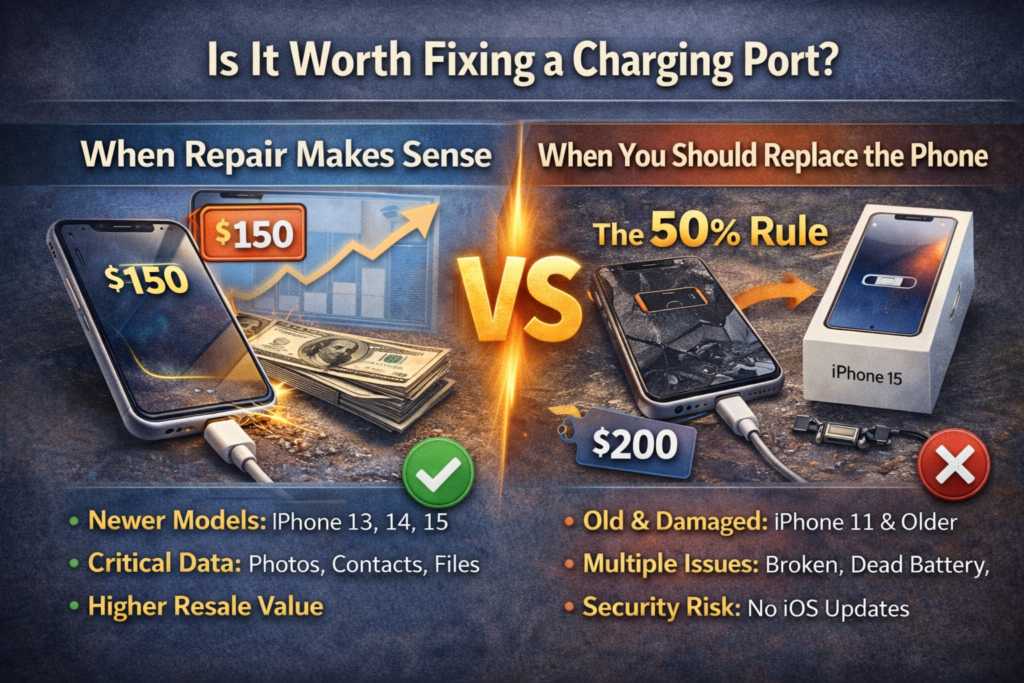
- The phone is new(ish): If you have an iPhone 13, 14, or 15, the phone still has a high market value. Spending $150 to fix a phone worth $600 is a smart financial move.
- Data is critical: If you haven’t backed up your photos and the phone won’t charge, you can’t turn it on to save them. Fixing the port is the only way to get your digital life back.
- You plan to sell it: A broken phone is worth very little. Fixing the port increases the resale value significantly.
When You Should Replace the Phone
- The 50% Rule: If the cost of the repair is more than 50% of the phone’s current value, do not fix it. For example, if you have an iPhone 11 worth $200, spending $149 on a repair doesn’t make sense. Put that money toward a newer device.
- Multiple Issues: If your screen is cracked, your battery is dead, and your charging port is broken, the total repair bill will be astronomical. It is time to upgrade.
- Software Support: If your phone is too old to receive the latest iOS updates, it is becoming a security risk. Don’t invest in hardware that the software has left behind.
Can You Fix an iPhone Charging Port Yourself?
The DIY spirit is strong, and looking up an iphone charging port repair near me might make you wonder if you can just do it at your kitchen table.
Cleaning Safely
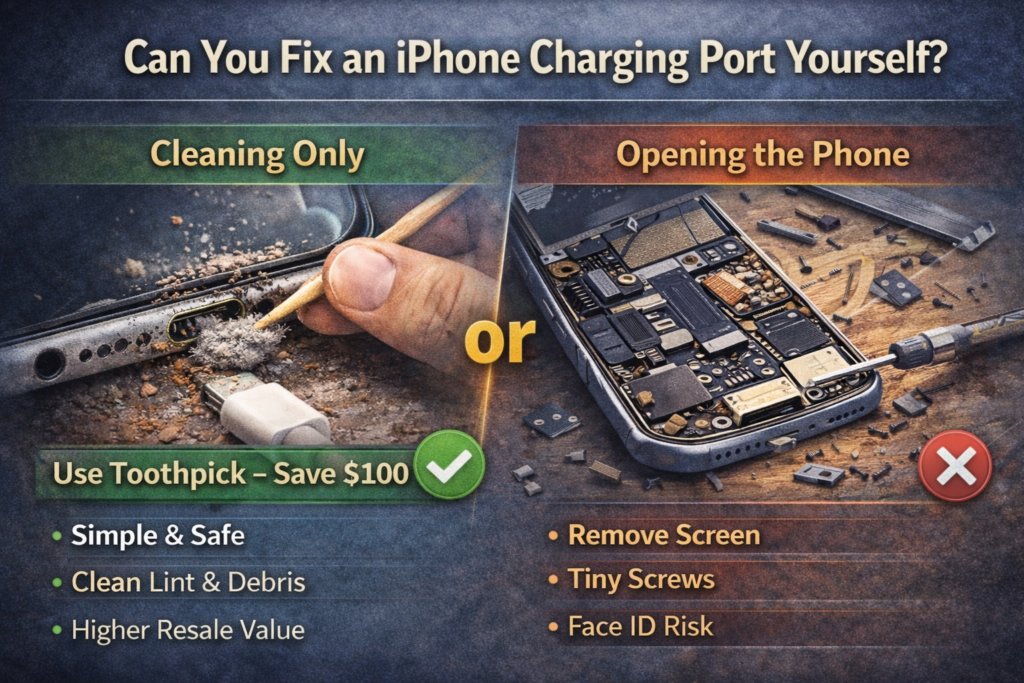
Before you open the phone, try cleaning the port. You don’t need tools for this. Use a wooden toothpick or a plastic dental pick. Never use metal. Metal objects like paperclips or needles can short out the pins or scratch the connectors.
Gently insert the toothpick into the port and scrape along the bottom wall. You might be shocked at the amount of lint that comes out. If you pull out a grey fuzzball and your charger clicks in afterward, you just saved yourself $100.
When NOT to Open the Phone
Replacing the hardware yourself is a different beast. On modern iPhones (iPhone X and newer), the repair is incredibly difficult.
- You have to remove the screen: This requires heating the adhesive and carefully prying up the glass. One slip and you crack the screen, turning a $100 repair into a $400 repair.
- Lots of screws: You have to remove the battery, the loudspeaker, the Taptic Engine, and dozens of microscopic screws just to get to the charging port assembly.
- Risk to Face ID: The sensors for Face ID are fragile. If you damage them while opening the phone, you lose facial recognition forever. Only Apple can recalibrate Face ID.
Unless you are very comfortable with electronics repair, we recommend leaving the internal hardware swaps to the pros.
Related Guide: How to Dry iPhone Charging Port Safely
Signs Your Charging Port Needs Replacement
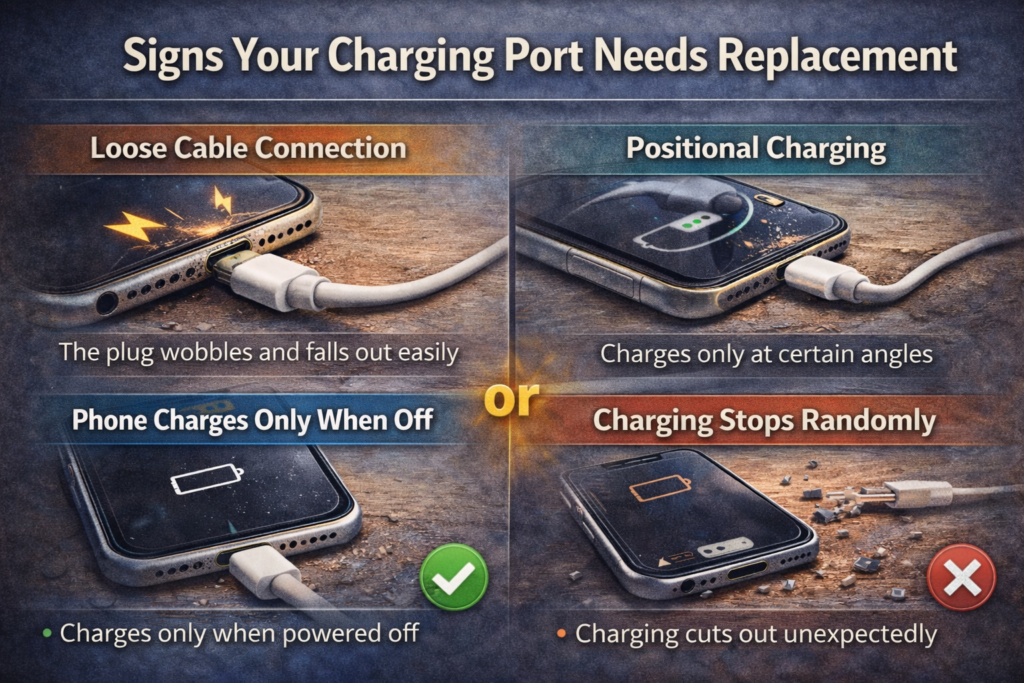
How do you know if the port is actually broken or if it’s just your cable? Look for these symptoms:
- Loose Cable Connection: The plug wobbles inside the port and falls out easily.
- Positional Charging: The phone only charges if you hold the cable at a specific angle or wrap it around the back of the phone.
- Phone Charges Only When Off: This is a rare but specific sign of a logic board or port communication error. If your device only powers up when switched off, read our detailed guide on why your phone charges only when off and how to fix it safely.
- Charging Stops Randomly: You plug it in, hear the beep, go to sleep, and wake up to a dead phone because it stopped charging five minutes later.
- Microphone Issues: On many iPhones, the microphone used for phone calls is part of the charging port assembly. If people say you sound muffled and you have charging issues, the port assembly is the likely suspect.
How Long Does Charging Port Repair Take?
You rely on your phone for everything—maps, payments, calls, and work. Being without it is painful.
- Apple Store: If you have an appointment, it usually takes 1 to 2 hours. However, if the store is busy, they may ask you to leave it overnight.
- Third-Party Shop: These shops prioritize speed. Most can swap a charging port in 30 to 60 minutes. It is often done while you wait.
- Mail-In Service: If you send your phone to Apple or a high-end repair center, expect to be without your phone for 3 to 5 business days. This accounts for shipping time both ways plus the repair time.
Conclusion
Dealing with a phone that won’t charge is stressful, but you have options. The iphone charging port replacement cost in 2026 generally falls between $79 and $149 for most users visiting independent shops, while Apple official repairs will cost a premium for guaranteed genuine parts.
Before you spend money, grab a flashlight and a toothpick to ensure it isn’t just a lint problem. If you do need a repair, weigh the cost against the age of your phone. Sometimes, the smartest repair is actually an upgrade. Whatever you do, don’t ignore the problem—a faulty charging port can lead to battery damage or data loss if left unchecked.
Delaying a charging port repair can cause unstable power delivery, which may damage your battery over time. Fixing the issue early often prevents more expensive internal damage.
How much does Apple charge to fix a charging port?
If you have AppleCare+, the fee is usually small, around $29 to $99 depending on the claim type. Out of warranty, Apple typically categorizes this as “Other Damage,” which can range from $149 for older models to over $399 for the newest Pro Max models.
Is it cheaper to replace the charging port or the battery?
Battery replacement is almost always cheaper. A battery swap typically costs between $69 and $99. A charging port repair involves more labor and a more complex part, making it more expensive.
Can a charging port be cleaned instead of replaced?
Yes! In about 30% of cases, the port isn’t broken; it is just dirty. A compacted layer of pocket lint prevents the charger from making contact. Always try cleaning it carefully with a non-conductive tool before paying for repairs.
Why is my iPhone charging port loose?
A loose port is usually caused by wear and tear on the retention clips inside the port, or debris packed at the bottom. If the cable doesn’t “snap” into place, debris is the most likely cause.
Does AppleCare cover charging port repair?
Yes, AppleCare+ covers charging port failure. If the port fails due to a defect, it is free. If it fails due to accidental damage (like dropping it), you will pay a deductible, which is much cheaper than the full repair price.
How do I know if my charging port is broken or dirty?
Use a flashlight to look inside. If you see gold pins that look dark, bent, or missing, it is broken. If you see a wall of grey fuzz at the bottom, it is dirty. Also, try a different cable; if the new cable works, your port is fine.