
How Much Does It Cost to Repair a Laptop Screen?
So, how much does it cost to repair a laptop screen in 2026? The answer depends on several key factors…
Laptop screen repair costs range from $50 to $150 for DIY, $150 to $300 at local repair shops, and $300 to $800+ at authorized service centers, depending on brand, screen type, and labor costs.
It happens in a split second. Maybe you closed the lid too hard on a forgotten pen, or perhaps your backpack slipped off your shoulder. Now, you’re staring at a spiderweb of cracks or a display that’s gone completely black. The panic sets in, followed immediately by one big question: How much does it cost to repair a laptop screen?
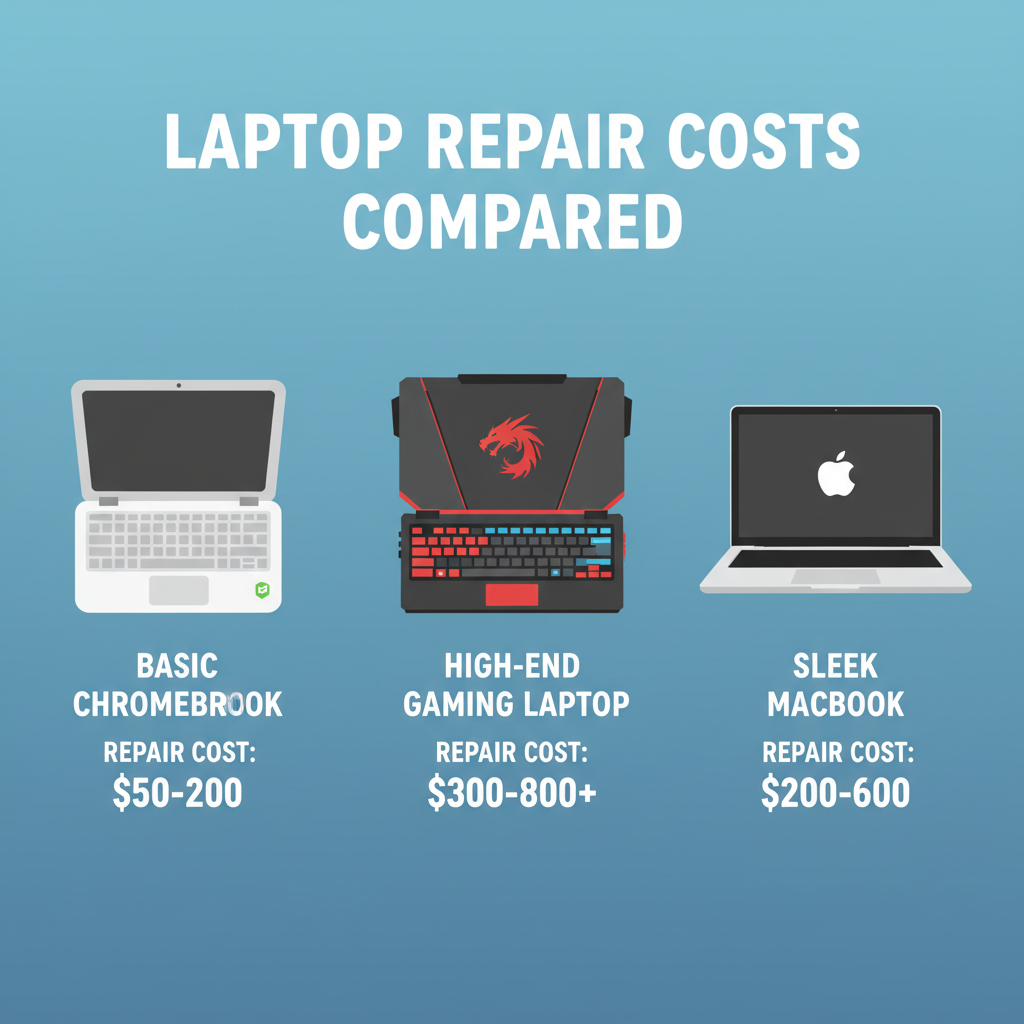
It’s a stressful situation, but don’t worry—we’re here to break it down for you. The truth is, the cost to fix a laptop screen isn’t a single number. It varies wildly depending on whether you have a basic Chromebook, a high-end gaming rig, or a sleek MacBook. It also depends heavily on whether you hire a professional or are brave enough to try a DIY fix.
In this guide, we will walk you through every price factor, compare professional service fees against the DIY laptop screen replacement cost, and help you decide if your laptop is worth saving. Let’s get that screen fixed so you can get back to work (or gaming).
Factors Affecting Repair Costs
Before we can give you a specific number, we need to look at why prices swing so much. You might see a laptop display repair cost as low as $50 or as high as $800. Why the massive gap? It comes down to four main ingredients: the machine, the screen technology, your warranty, and who does the work.
1. Laptop Brand and Model
This is the biggest driver of cost. Think of it like car repairs. Replacing a windshield on a standard sedan is affordable; replacing one on a luxury sports car is expensive.
If you own a standard budget laptop—like a basic HP Pavilion, Dell Inspiron, or an Acer Chromebook—parts are usually abundant and affordable. Manufacturers make millions of these screens, so the supply is high, keeping prices low.
However, if you own a specialized device, the laptop screen repair cost climbs steeply.
- Apple MacBooks: Apple uses proprietary Retina displays. These are often glued into the aluminum lid, meaning you can’t just replace the glass; you often have to replace the entire top half of the laptop. This drives the price up significantly.
- Gaming Laptops: High-performance laptops (like Alienware or Razer) use screens with high refresh rates (144Hz or 360Hz). These specialized panels cost much more than a standard 60Hz office laptop screen.
- Ultrabooks: Extremely thin laptops (like the Microsoft Surface) are often sealed shut with strong adhesive. Opening them without breaking other parts is difficult, driving up labor costs.
2. Screen Type and Technology
Not all screens are created equal. The technology inside your display changes the price of the part itself.
- LCD vs. LED: Older LCD screens are cheap, but most modern laptops use LED technology.
- OLED: If you have a high-end laptop with an OLED screen (which offers perfect blacks and vibrant colors), expect to pay a premium. These panels are expensive to manufacture.
- Touchscreens: This is a major cost factor. A touchscreen isn’t just a display; it has a “digitizer” layer (glass) on top of the LCD that senses your finger. If the glass cracks, you usually have to replace the LCD underneath it too because they are fused together. This double-whammy makes touchscreens much more expensive to fix than non-touch versions.
- Resolution: A standard 1080p (Full HD) screen is affordable. A 4K (Ultra HD) screen is much pricier.
3. Warranty Coverage
Always check your paperwork before you pull out your credit card.
- Standard Manufacturer Warranty: Most laptops come with a 1-year limited warranty. However, this usually covers defects (like a screen that just stops working), not accidental damage (like a crack from a drop).
- Extended Warranties & Accidental Damage: If you bought AppleCare+, Dell’s Accidental Damage Service, or a protection plan from a retailer like Best Buy, you might be in luck. These plans often reduce the cost to fix laptop screen damage to a small deductible, sometimes as low as $29 to $99.
4. Location and Labor
Where you live and who you hire matters. Repair shops in big cities like New York or San Francisco have higher rent and pay their technicians more, so they charge more for labor. A shop in a smaller town might charge significantly less.
Labor is usually charged by the hour or by a flat fee per job. Complex repairs (like MacBooks or glued-together tablets) take more time, increasing the labor portion of the bill.

Average Professional Repair Costs
If the idea of opening your laptop with a screwdriver makes your palms sweat, professional repair is the way to go. You are paying for expertise, safety, and usually, a guarantee that the job will be done right. Here is what you can expect to pay across different types of service providers.
| Repair Option | Average Cost | Best For |
| DIY Screen Replacement | $50 – $150 | Budget users with basic repair skills |
| Local Third-Party Repair Shop | $150 – $300 | Most users seeking affordability and safety |
| Authorized Service Center | $300 – $800+ | Premium laptops and warranty-safe repairs |
| Touchscreen Laptop Repair | $200 – $500 | Touch-enabled and 2-in-1 laptops |
| MacBook Screen Repair | $400 – $800+ | Apple laptops with Retina displays |
Authorized Service Centers
These are repair centers officially backed by the manufacturer (like the Apple Store or a Dell Certified Repair Center).
- The Pros: They use genuine Original Equipment Manufacturer (OEM) parts. The technicians are specifically trained for your device. If they break something else while fixing it, they cover it.
- The Cons: This is almost always the most expensive option. You might also have to mail your laptop away for a week or two.
- Cost Range: Expect to pay anywhere from $250 to over $800. For example, an out-of-warranty MacBook Pro screen repair can easily hit $600+.
If you want a detailed breakdown of these high-end costs, you can check resources like Electronics Cost Helper to see what other users are reporting for authorized repairs.
Third-Party Repair Shops
These are your local “Computer Repair” shops found in strip malls or downtown areas. They are often the sweet spot for many users.
- The Pros: They are usually much faster than manufacturers—sometimes offering same-day service. Their prices are competitive because they can source “compatible” screens that work just as well as the originals but cost less.
- The Cons: Quality can vary. Some shops use high-quality parts; others use cheap knock-offs. Always check reviews before handing over your device.
- Cost Range: The typical laptop screen repair cost here lands between $150 and $350. This usually includes about $80–$150 for the part and $70–$150 for labor.
Big Box Retailers
Stores like Best Buy (Geek Squad) or Staples offer repair services.
- The Pros: They are everywhere and trustworthy brands. Their pricing models are standardized, so you won’t get hit with “surprise” fees as easily.
- The Cons: They often act as middlemen. Sometimes they don’t fix the screen in the store; they ship it out to a central depot, meaning you could be without your laptop for weeks. Their pricing can also be higher than a local independent shop.
- Cost Range: You are likely looking at $200 to $450, depending on whether you have a membership plan with them.
Cost of DIY Screen Repair
For the adventurous and the budget-conscious, the DIY laptop screen replacement cost is the most attractive number. By doing it yourself, you cut out the labor cost entirely. You pay only for the part and shipping.
Price of Replacement Parts
You can find replacement screens on websites like Amazon, eBay, Laptopscreen.com, or iFixit.
- Budget Laptops (Chromebooks, older Dells/HPs): Screens can be incredibly cheap, ranging from $40 to $80.
- Mid-Range Laptops: A standard 15.6-inch 1080p IPS panel usually costs between $60 and $120.
- High-End/Touchscreens: If you need a specialized assembly (glass + LCD), prices can jump to $200 or $300.
For a broader look at part pricing trends, sites like Computer Known offer good comparisons on component costs.
Tools Required
You don’t need a massive workshop to fix a screen. In fact, you probably have some of the tools already.
- Precision Screwdriver Set: You specifically need small Phillips heads (PH0, PH00) and possibly Torx bits (T5) for modern laptops. ($10–$20)
- Prying Tools: A plastic “spudger” or a guitar pick is essential for popping open plastic bezels without scratching them. ($5)
- Adhesive Strips: Many modern screens don’t use screws; they are held in by double-sided tape. You’ll need fresh tape to install the new one. ($5)
Pro Tip: Sometimes, after a repair or hardware change, your computer might act a little funny upon rebooting. It’s smart to have a guide for a Windows update fix bookmarked. Software glitches can sometimes pop up when hardware is disconnected and reconnected, so knowing how to handle a stuck update ensures your DIY project ends smoothly.
Risk Factor
We have to be honest: DIY isn’t risk-free.
- Bezel Damage: The plastic frame around the screen is often thin and brittle. Snap it, and your laptop will look ugly forever.
- Cable Damage: The video cable connecting the screen to the motherboard is delicate. If you pinch or tear it, you have a much bigger problem than just a broken screen.
- Static Shock: If you don’t disconnect the battery first, you could short out the motherboard.
If you are comfortable with Legos and have a steady hand, DIY is a great option. If you struggle to change the batteries in your remote without frustration, pay a pro.

Is It Worth Fixing or Should You Replace the Laptop?
Just because you can fix it doesn’t mean you should. Before you spend $200 on a repair, you need to look at the big picture.
The 50% Rule
A good rule of thumb in the tech world is the 50% Rule. If the cost to fix laptop screen damage is more than 50% of the laptop’s current market value (not what you paid for it, but what it’s worth now), you should probably just buy a new laptop.
For example, if you have a 4-year-old laptop that you could sell on eBay for $300, spending $200 to fix the screen doesn’t make financial sense. You’re better off putting that $200 toward a new, faster machine.
Age of the Laptop
Computers age like dogs—one human year is like seven laptop years.
- Under 2 years old: Almost always worth fixing.
- 3–4 years old: A gray area. Depends on how fast it still feels.
- 5+ years old: Unless it’s a high-end MacBook, it’s likely time to retire it. Technology has moved on, and a new budget laptop might be faster than your old premium one.
Other Existing Issues
A broken screen is obvious, but is your laptop healthy otherwise? If the screen is just the tip of the iceberg, don’t sink money into it.
Before committing to a screen repair, ask yourself if you’ve been dealing with other annoyances. Have you been searching for Laptop freezing fixes lately because the system is sluggish? Or perhaps you’ve been battling WiFi issues where you are connected but have no internet?
If your laptop has a failing hard drive, a battery that won’t hold a charge, and a broken screen, it is trying to tell you something: let it go. However, if the screen is the only thing wrong and it runs perfectly otherwise, repair is a solid choice.

How to Save Money on Screen Repairs
If you’ve decided to go ahead with the repair, here are a few tricks to lower that bill.
Check Your Warranty Status (Thoroughly)
We mentioned warranties earlier, but dig deeper. Did you buy the laptop with a credit card? Many premium credit cards (like Amex or Chase Sapphire) offer “Purchase Protection” or “Extended Warranty” benefits. They might reimburse you for the repair even if the manufacturer warranty is expired.
Also, while you are digging through your warranty info, check coverage for other quirks your device might have. For example, if you also have Charging issues, seeing if your warranty covers “power system failures” alongside the screen could get you a basically new computer for free.
Buy Your Own Parts
Some independent repair shops are cool with you bringing your own parts. You can buy the screen online for $60 (saving the shop’s markup) and just pay them the $80 labor fee to install it. This gives you the best of both worlds: cheap parts and professional installation. Always ask the shop first if they allow this.
Sell It As-Is
If the repair is too expensive, you don’t have to throw the laptop in the trash. People buy broken laptops on eBay for parts every day. You might get $50 or $100 for your broken machine, which you can put toward a new one.
Conclusion
So, how much does it cost to repair a laptop screen?
- DIY: Expect to pay $50 to $150 for parts. It’s the cheapest option but carries the most risk.
- Independent Shop: Expect to pay $150 to $300. This balances cost with professional safety.
- Manufacturer/Authorized: Expect to pay $300 to $800+. This is pricey but guarantees factory-perfect results.
The decision ultimately comes down to value. Weigh the laptop display repair cost against the age and condition of your device. If your laptop is a trusty workhorse that just had a bad day, fix it. If it’s an old mule that’s been slowing down for years, take this as a sign to upgrade.
Don’t let a cracked screen ruin your productivity. Get a quote from a local shop, check your warranty, or order that screwdriver set today. The sooner you act, the sooner you’ll be back to a crystal-clear view.
Frequently Asked Questions
Can a cracked laptop screen be fixed?
Yes, absolutely. However, “fixed” usually means “replaced.” You cannot repair the crack in the glass itself; the entire LCD panel must be swapped out for a new one.
Is it cheaper to repair or replace a laptop screen?
It is almost always cheaper to repair the screen than to buy a brand-new laptop, provided the laptop is relatively new. If the laptop is very old, the cost of the repair might exceed the value of the computer.
How much does HP laptop screen repair cost?
For standard HP laptops (like the Pavilion or Envy series), professional repair usually costs between $150 and $250. If you do it yourself, parts can be found for around $60–$100.
How much does Dell laptop screen repair cost?
Dell repairs are similar to HP. Expect to pay $150–$300 at a shop. Dell also sells parts directly to consumers sometimes, making DIY easier for around $70–$120.
Can I fix a laptop screen myself?
Yes, if you have patience and the right tools. It is one of the more “doable” laptop repairs. However, if you have a touchscreen or a MacBook (Retina display), the difficulty level is much higher and not recommended for beginners.
Does warranty cover cracked screens?
Standard warranties usually do not cover cracks because they are considered “accidental damage.” You need a specific “Accidental Damage Protection” plan for this to be covered.
How long does it take to repair a laptop screen?
A professional shop can often do it in 1–2 hours if they have the part in stock. If they have to order the screen, it might take 3–5 business days.
What happens if I use a laptop with a cracked screen?
You can use it, but it’s risky. The crack can spread, and “liquid crystal” can leak, creating black blobs that block your view. Furthermore, glass shards can fall out. Ignoring hardware damage can sometimes lead to weird escalations—much like how ignoring a phone glitch might result in CarPlay not working, ignoring a screen crack can eventually cause pressure damage to the internal components behind the display.
Is a touchscreen more expensive to replace?
Yes, significantly. Because the touch glass (digitizer) and the image screen (LCD) are glued together, you have to buy them as a single, expensive unit. It also takes more labor to install correctly.